Configuration
IPTV on Enigma2 (Vu+, Dreambox): portal and M3U list
Set up IPTV on an Enigma2 receiver (Vu+, Dreambox): install an IPTV plugin from the image's extensions manager, then connect an M3U URL or Xtream Codes.
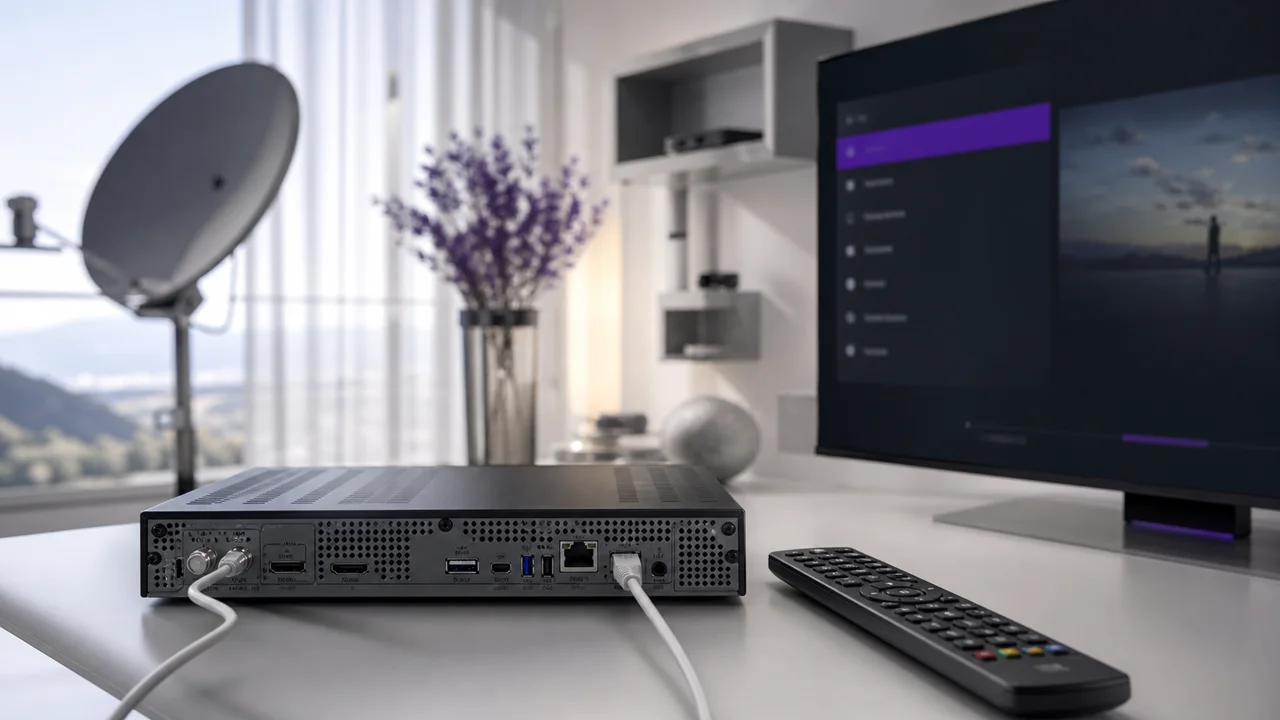
Enigma2 receivers form a family of their own among IPTV hardware: initially designed for satellite and cable reception, they can also play IPTV streams using plugins added separately. This guide explains what Enigma2 is, how to identify your setup, then how to connect IPTV4KSubscriptions via an IPTV plugin.
What is an Enigma2 receiver?
Enigma2 is the operating system, based on Linux, which equips Dreambox receivers as well as many compatible “clone” devices sold under other brands, including Vu+. The manufacturer Dreambox developed this system originally for satellite and digital cable reception; its open architecture then allowed independent communities to create their own images (variants of the system), such as the OpenPLi project, one of the best known.
This software openness is precisely what distinguishes Enigma2 from a classic Android box: instead of a single application store, each image has its own plugin repository (its “feed”), maintained by its community. The availability of an IPTV plugin therefore directly depends on the image installed on your receiver, as shown in the system's history on Wikipedia.
How do you identify your Enigma2 receiver?
Before any configuration, check two things: the model and brand, and the installed image and its version. These decide whether a recent IPTV plugin is available for your box.
- The model and brand: Dreambox, Vu+ and many clones all use some variation of Enigma2, although the exact interface may differ slightly.
- The installed image: open the system information menu (often in Menu > Information or equivalent) to see the name of the image (OpenPLi or another variant) and its version. An old or outdated image may not offer a recent IPTV plugin.
How do you install an IPTV plugin on Enigma2?
IPTV is added through a plugin from your image's extensions manager, not through the satellite menu. Open the manager, find the IPTV or Extensions category, install a plugin, then open it.
- From the remote control, open the extensions manager or plugins manager of your receiver (exact access depends on the image: colored button, main menu or dedicated shortcut).
- Find the Extensions or IPTV category in the list of plugins available for download.
- Install an IPTV plugin offered by your image repository, then restart the receiver if the installation requests it.
- Open the plugin once installed: it generally offers a connection screen separate from the classic satellite menu.
The exact name of the plugin and its location in the menus vary depending on the installed image; check your image's documentation or forum if step 1 does not match your receiver.
How do you connect with an M3U URL?
In the IPTV plugin, add a playlist by URL, paste the M3U address from your IPTV4KSubscriptions access, then wait for the channel list to load.
- In the IPTV plugin, choose the option to add a playlist by URL or M3U.
- Paste the M3U URL provided by your IPTV4KSubscriptions access.
- Confirm and wait for the channel list to load.
How do you connect with Xtream Codes credentials?
If the plugin offers Xtream Codes, enter the server address, username and password; it then loads the live channels and, depending on its functions, the VOD and EPG tied to the account.
- Choose the Xtream Codes or API option if the plugin offers it.
- Enter the server address, your username and your password.
- Confirm: the plugin loads the live channels and, depending on its functions, the VOD and EPG associated with the account.
M3U or Xtream Codes on Enigma2: which should you use?
Both methods usually exist in Enigma2 IPTV plugins, so the choice comes down to what your plugin offers and how you want your catalog organised. Xtream Codes often bundles the EPG with the account, while an M3U URL is a single address that may need a separate EPG link.
| Criterion | M3U URL | Xtream Codes credentials |
|---|---|---|
| Information to enter | A single address | Server + username + password |
| Plugin compatibility | Very broad | Depends on the installed plugin |
| EPG | Can request a separate address | Often included with account |
| Catalog organization | Simple list | Live/VOD categories generally separate |
This choice follows the same logic as for other applications: our article M3U or Xtream Codes details each method in depth.
How do you configure the EPG on Enigma2?
Some Enigma2 IPTV plugins attach the program guide automatically to an Xtream Codes connection, while an M3U setup often needs a separate EPG address added in the plugin settings. Our EPG guide explains how the program guide works and what to check if it stays empty.
Does the Stalker/Ministra portal work on Enigma2?
A Stalker/Ministra portal can work on Enigma2 through a dedicated plugin, separate from the standard M3U or Xtream Codes plugin and closer to the method used by classic MAG boxes. IPTV4KSubscriptions does not systematically provide this type of portal: check its availability with support before configuring this screen, rather than guessing an address.
Troubleshooting
- No IPTV plugin available in the extensions manager: the installed image may be too old or its repository unavailable. An image update, specific to your model, may resolve the issue.
- Connection refused: check the server, the username and password copied without spaces, or the complete M3U URL.
- Channel freezing: test the Ethernet connection rather than Wi-Fi if the receiver allows it, and see our buffering troubleshooting guide.
- Empty EPG: check if the plugin requests a separate EPG address, particularly in M3U configuration.
In summary
On an Enigma2 receiver, IPTV always goes through a dedicated plugin installed from the image's extensions manager, never through the classic satellite settings. Once the plugin is installed, the connection follows the same principle as elsewhere: M3U URL or Xtream Codes credentials. For installation on other types of hardware, see our guide how to install IPTV.
Frequently asked questions
What exactly is Enigma2?
Enigma2 is the operating system (based on Linux) which equips Dreambox receivers and many compatible clones, such as Vu+. Historically designed for satellite and cable, it was later extended by community plugins capable of playing IPTV streams.
Can all Enigma2 receivers play IPTV?
It depends on the installed image (the precise Enigma2-based system, like OpenPLi or another community variant) and the availability of an IPTV plugin in its extensions manager. An old receiver or an outdated image may not offer any suitable plugin.
Should I use an M3U URL or Xtream Codes credentials on Enigma2?
Both methods generally exist in IPTV plugins for Enigma2, as on most IPTV applications. The choice depends mainly on what the installed plugin offers and your catalog organization preferences.
Where can I find the IPTV plugin on my receiver?
Look for your image's extension or plugin manager (often accessible via the remote control, a colored button or the main menu). The exact name and availability of an IPTV plugin varies depending on the installed image and its software repository.
Does the Stalker/Ministra portal also work on Enigma2?
This is possible with a dedicated plugin separate from the standard M3U/Xtream Codes IPTV plugin, but not all subscriptions provide this type of portal. Check with IPTV4KSubscriptions support to see if a compatible portal is available before setting up this screen.
What should I do if the picture freezes after configuration?
First check the receiver's network connection, then test another channel to isolate the problem. If the freezing affects multiple channels, our buffering troubleshooting guide details the network checks to do in order.