Configuration
M3U or Xtream Codes: differences and best choice
M3U vs Xtream Codes: M3U uses one URL, Xtream Codes needs server, username and password. Compare compatibility, EPG and the best method per app.
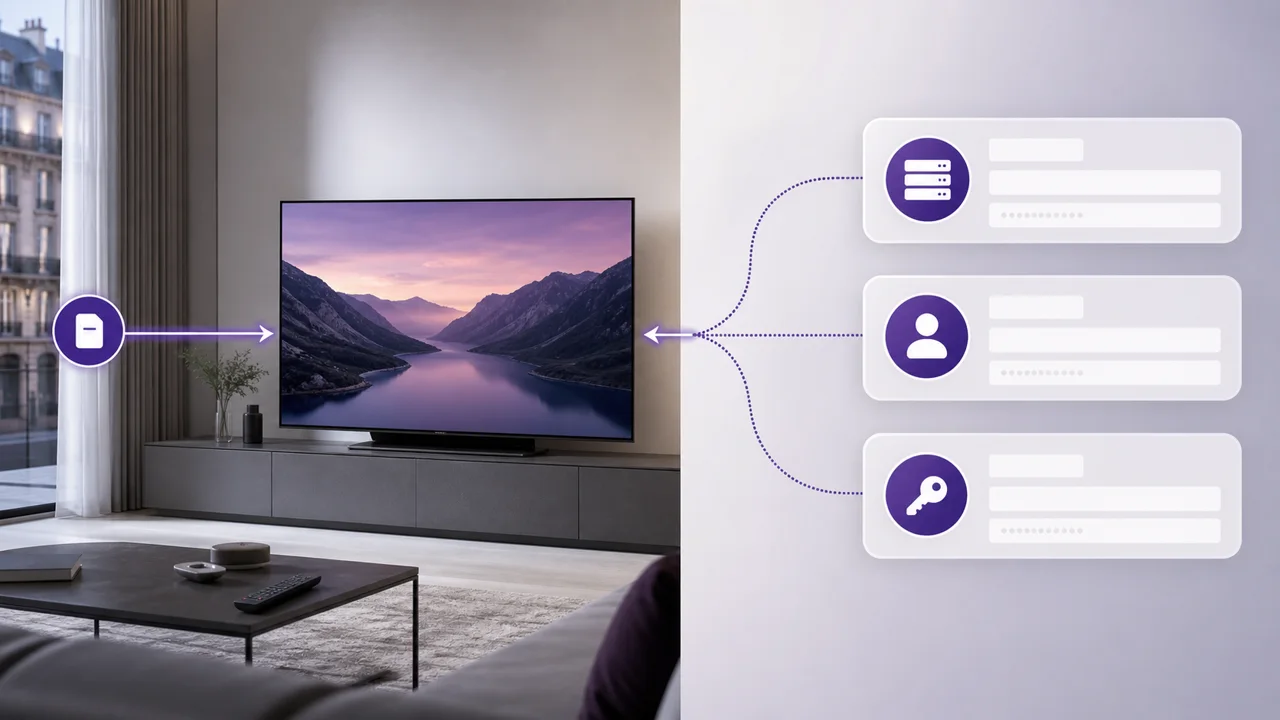
Your activation email may contain an M3U URL and three Xtream Codes details: server, username and password. These two methods are used to connect an IPTV player to the same subscription, but their presentation, information to be entered and compatibility differ depending on the application chosen.
What is an M3U list?
An M3U list is a text file that references channels and content in a format understood by many media players. The format has been around since the early days of MP3 and was later adopted for video streaming; it remains one of the most widely supported playlist formats today, as noted in its Wikipedia entry. When you add its URL to an application, it downloads the list and constructs the available entries in its interface.
Its main advantage is its compatibility with simple players. VLC, for example, can open an M3U URL directly from its "Open Network Stream" menu, without providing a dedicated IPTV login screen, a method described in the official VideoLAN documentation.
Its presentation depends entirely on the player. Some applications refresh the list periodically; others require manual action. The EPG may also require a separate URL, as explained in our EPG guide.
What is Xtream Codes?
Xtream Codes originally refers to an IPTV management panel, but in common usage, "Xtream Codes connection" means a connection via a structured API: you enter a server address, a username and a password. The app can then load the channels, categories, VOD and EPG data available for the account, as summarized in the diagram above.
When the player supports it, this method generally displays categories, logos, VOD and EPG information in separate sections. IPTV Smarters Pro and TiviMate, for example, are some of the apps that offer this type of login screen.
What does “IPTV code” actually mean?
The term “IPTV code” often comes up in searches, but it does not always mean the same thing. It can refer:
- to Xtream Codes identifiers (server + user + password);
- to an activation code requested by certain decoders or MAC portal boxes, distinct from your IPTV identifiers;
- more rarely, to the serial number or product code of a physical decoder.
An IPTV decoder with code generally follows one of these three logics, including on Samsung televisions without external box. If in doubt, check the exact title of the field requested by your application before entering information in the wrong place: “Username/Password”, “M3U URL” and “Activation code” are not substitutes for each other.
M3U and Xtream Codes at a glance
| Criterion | M3U | Xtream Codes |
|---|---|---|
| Information to enter | A full URL | Server + username + password |
| Compatibility | Very wide (VLC, simple players, most IPTV apps) | Dedicated IPTV apps only |
| Catalog organization | Single list, depending on the player | Often separated: live / VOD / series |
| EPG display | Can request a separate EPG URL | Usually included with account |
| Typical use case | VLC, minimalist player, quick test | TiviMate, IPTV Smarters Pro, structured navigation |
Do both provide access to the same content?
Both methods normally use the same account, but their display may differ. An M3U player can only show a list, while an Xtream Codes connection can separate live, movies, series and EPG. Compare the two in your application if a category appears to be missing.
How to choose concretely?
In practice, the choice mainly depends on the application you use, not on personal preference:
- If your application offers “Xtream Codes API”, use the server and your identifiers to benefit from its structured navigation.
- If you use VLC, or an application that only offers the opening of a network stream, use the M3U URL provided in your email.
- If you are unsure and both options exist, try Xtream Codes first to take advantage of the structured navigation, then compare with M3U if necessary.
You can change player or method without changing the duration of your plan. However, remember to respect the number of simultaneous connections included, detailed on our rates page.
Where do you find your login information?
Your M3U URL and your Xtream Codes identifiers are sent by email when you activate your IPTV4KSubscriptions access. Keep this email in an easy-to-find folder: you will need it each time you install a new application, change your device or reset a player. If you can no longer find it, contact support rather than looking for this information elsewhere.
How do you keep your login details secure?
Your Xtream Codes identifiers and your M3U URL give access to your personal subscription. They should not be shared publicly (forums, social networks, groups), because simultaneous use beyond the number of connections included in your plan may result in outages. Each IPTV4KSubscriptions plan clearly specifies the number of simultaneous connections included.
In summary
M3U and Xtream Codes are two methods of connecting to the same subscription, not two different offers. Xtream Codes is suited to players that organize the catalog; M3U is still useful for VLC and applications that expect a single URL. Consult our IPTV application comparison to choose the right player for your device.
Frequently asked questions
Can I save both methods on different devices?
Yes, if the applications accept them. However, any parallel playback counts towards the limit of simultaneous connections in your plan.
Is one method faster than the other?
Once the channel is open, the quality depends mainly on the stream, the network, the device and the player. However, the catalog loading time may vary depending on the method and application.
What should I do if my Xtream Codes credentials don't work?
First check that you have copied the server, user and password without unnecessary spaces, especially on mobile where the copy can add an invisible character. If the problem persists, try the M3U list as an alternative: if it works, the problem probably comes from a typo in the identifiers rather than your subscription.
Can my M3U list expire?
It works during the access period associated with the account. If it stops loading before the deadline, check the connection, copy the full URL and contact support if necessary.
What exactly is an “IPTV code”?
In common parlance, “IPTV code” most often refers to Xtream Codes identifiers (server, user, password) or, on certain decoders and MAC portal boxes, a separate activation code. The term does not have a single technical definition: check what exactly your application asks for before entering information in the wrong place.
Can I change my method without losing my subscription?
Yes. M3U and Xtream Codes give access to the same account: switching from one to the other does not change the duration or content of your plan.