Hardware
IPTV box: what is it and when do you need it?
What is an IPTV box? A small HDMI device that runs IPTV apps on any TV. How it differs from a Smart TV app or streaming stick, and when you truly need one.
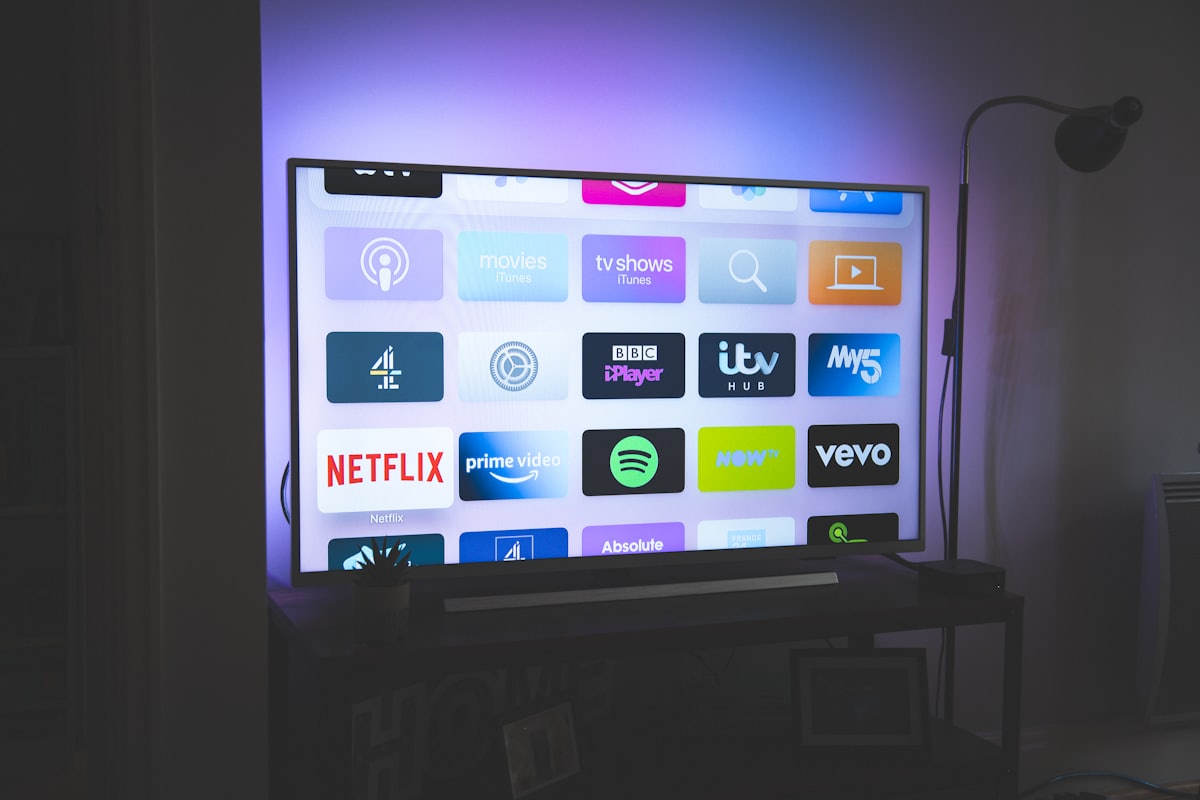
The term “IPTV box” refers to several types of devices depending on the context. This guide explains what a box actually is, how it differs from a Smart TV app or streaming stick, and how to know if you actually need one.
What is an IPTV box?
An IPTV box is a small external electronic box, usually connected to the TV by an HDMI cable and to the Internet by Wi-Fi or Ethernet. It runs an operating system (often based on Android) capable of installing applications, including IPTV applications. It is a variation of the "set-top box", a category of devices that converts a signal source into content displayable on a television, as defined on Wikipedia.
The box doesn't stream any content on its own: it simply runs the apps you install on it, just like a smartphone runs downloaded apps. Without an IPTV application installed and configured with an M3U URL or Xtream Codes credentials, an IPTV box remains an empty device.
IPTV box vs Smart TV app: what is the real difference?
The real difference is that a Smart TV can already install and run apps on its own, whereas an IPTV box adds that same ability to a television that lacks it. A Smart TV has the built-in software that defines it as "smart," and this technology also equips external boxes, streaming sticks and certain game consoles, as specified by Wikipedia. An IPTV box is therefore not a different technology: it is the same functionality, added to a television that does not have it natively.
| Situation | Recommended solution |
|---|---|
| Recent Smart TV with rich app store | IPTV application installed directly, without additional hardware |
| Smart TV with limited app store (few IPTV choices) | External box or streaming stick to access more apps |
| Old television, not connected | IPTV box required to add any connected function |
| TV with limited or difficult to access HDMI ports | Streaming stick (more compact than a box) |
Our guide on IPTV installation on Samsung Smart TV without box details how to check if your TV can do without an external box.
IPTV box vs streaming stick: what is the difference?
A streaming stick (like a Fire TV Stick) does almost the same job as a box, installing apps on a TV, but in a smaller form factor: it plugs straight into the HDMI port, with no cable or separate unit to place near the TV. The features available for IPTV stay generally the same. The choice between the two formats comes down to how much space you want to give up and the number of HDMI ports on the television.
Google and Android TV, which equip both boxes and sticks, describe these devices as variants of the same family of products connected to the television, according to official Google TV documentation.
IPTV box vs TNT decoder: how are they different?
A TNT (digital terrestrial) decoder picks up the terrestrial broadcast signal through an antenna and needs no Internet connection, while an IPTV box does the opposite and depends entirely on the Internet. That reversed reception mode is the core difference between the two. The IPTV box receives no terrestrial signal at all and needs a stable Internet connection to display anything. The two devices can look alike (a small box wired to the television), but they receive content in completely different ways.
When is a box really necessary?
In summary, an IPTV box becomes useful in three concrete cases:
- Your TV is not a Smart TV and has no ability to install apps.
- Your Smart TV exists but its application store does not offer a suitable IPTV application.
- You want a dedicated, IPTV-optimized interface, separate from the TV's built-in system.
In other cases, an application installed directly on the Smart TV is generally sufficient, without additional hardware. Our device installation guides cover every setup in detail, boxes included. If your television goes through an Orange or SFR operator box rather than a dedicated IPTV box, our article IPTV on Orange or SFR box explains the options available in this specific case.
In summary
An IPTV box is nothing more and nothing less than a small dedicated computer that adds the ability to run apps to a television that does not have it natively. It is not essential if your Smart TV already has a compatible IPTV application. To understand how IPTV works overall before choosing your hardware, consult our definition article.
Frequently asked questions
What exactly is an IPTV box?
It is a small device that plugs into a television (generally via HDMI) to add connected functions: installation of IPTV applications, navigation in menus, playback of video streams. It links your Internet connection to a TV that does not have a native IPTV application.
Do I need a box if I already have a Smart TV?
Not necessarily. If your Smart TV has a compatible IPTV application in its application store, you can do without it. A box is still useful if your TV is old, not connected, or if its application store is too limited.
What is the difference between an IPTV box and a TNT decoder?
A TNT decoder receives the terrestrial broadcast signal and does not require any Internet connection. An IPTV box, on the other hand, depends entirely on an Internet connection to function and does not pick up any terrestrial signal.
Why is my IPTV box suddenly not working?
The most common causes are a restart being needed, an application update, a full cache or a temporary network outage. Our buffering troubleshooting guide details the checks to run, in order.
An IPTV box and a streaming stick (Fire TV Stick type), are they the same?
These are two categories of devices very similar in function - adding applications to a television - but with a different form factor: the stick plugs directly into the HDMI port without a cable or separate unit, while a box remains an external device placed near the television.
Is an IPTV box enough on its own, without a subscription?
No. The box is just a piece of hardware that runs an application. You must then install an IPTV application and enter an M3U URL or Xtream Codes credentials provided by your subscription to access the channels.