Apps
IPTV Smarters Pro on Samsung TV: Why Your Screen Says "Trial Ends in 6 Days"
IPTV Smarters Pro on Samsung TV is free with no trial. A countdown with no Xtream Codes login means a clone app. Here is how to fix it in five minutes.
The real IPTV Smarters Pro for Samsung TV is free and has no trial. A countdown with no Xtream Codes login means you've installed a clone.
- The official app is free. Samsung's own store listing prices it at zero.
- It has no trial. No trial period and no subscription terms appear on that listing.
- A countdown with nowhere to log in means a different app, whatever the icon looks like.
The real IPTV Smarters Pro on Samsung TV is a free app from a developer listed as whmcssmarters, and it has no trial and no subscription. The proof is on Samsung's own app store listing, which shows the app as free, names whmcssmarters as the seller, lists Xtream Codes API support as a feature, and mentions no trial period and no subscription terms anywhere. So a screen counting down a trial, with nowhere to type a server URL, username and password, is a different app wearing a similar icon.
If you've just set up a new Samsung Frame TV and this is the first thing it did, nothing's broken and you haven't lost anything. You've almost certainly installed the wrong build, which is easy to do and quick to undo. Skip straight to the fix.
Jump to what you need: Fix it now · Check I have the real app · What the three login fields are · It still won't work
🕒 What does the "your trial subscription will end in 6 days" screen actually mean?
It means the app currently on your screen wants money for itself. That's all it means. It isn't a Samsung feature or a Frame TV feature, and it isn't part of the free player Samsung lists.
This matters because a lot of people arrive at that screen assuming the countdown is a normal part of getting IPTV working, so they pay it. Samsung's listing prices the app at free. No trial period is shown. No subscription terms are shown. If something inside the player is asking you to pay for the player, that request is coming from a different product than the one on that listing.
The countdown also has nothing to do with your TV. One owner in the r/TheFrame thread reported getting the same seven day trial prompt on Windows, not on a Samsung set at all. That's a useful detail, because it tells you the behaviour belongs to the app itself. Reinstalling on a different device won't shake it off if the app is the problem.
There's a second reason people misread the screen. The countdown looks like it's talking about an IPTV subscription, when what it describes is the app's own billing. Whatever service you use is a separate arrangement with that service, and the free player contains no subscription of its own to expire.
In short. A trial countdown inside IPTV Smarters is a charge for the app itself, and the official app does not have one. Samsung's store listing shows the app as free with no trial period or subscription terms. One user in the r/TheFrame thread reported the same seven day prompt on Windows, so the countdown follows the app, not the TV. If you're being asked to pay for the player, you're in a rebranded build.
🧩 Is IPTV Smarters a player or a service?
It's a player. Most of the confusion here comes from that one missing idea. IPTV Smarters is an empty player and it ships with zero channels.
Samsung's listing says this in its own words. The notice on the page reads "IPTV Smarters does not supply or include any media or content", followed by "Users must have their own content." One owner in the r/TheFrame thread said the same thing in fewer words, writing that Smarters Pro is just the player app, that it doesn't come with any channels, and that you need a service to plug into it using a username, password and URL.
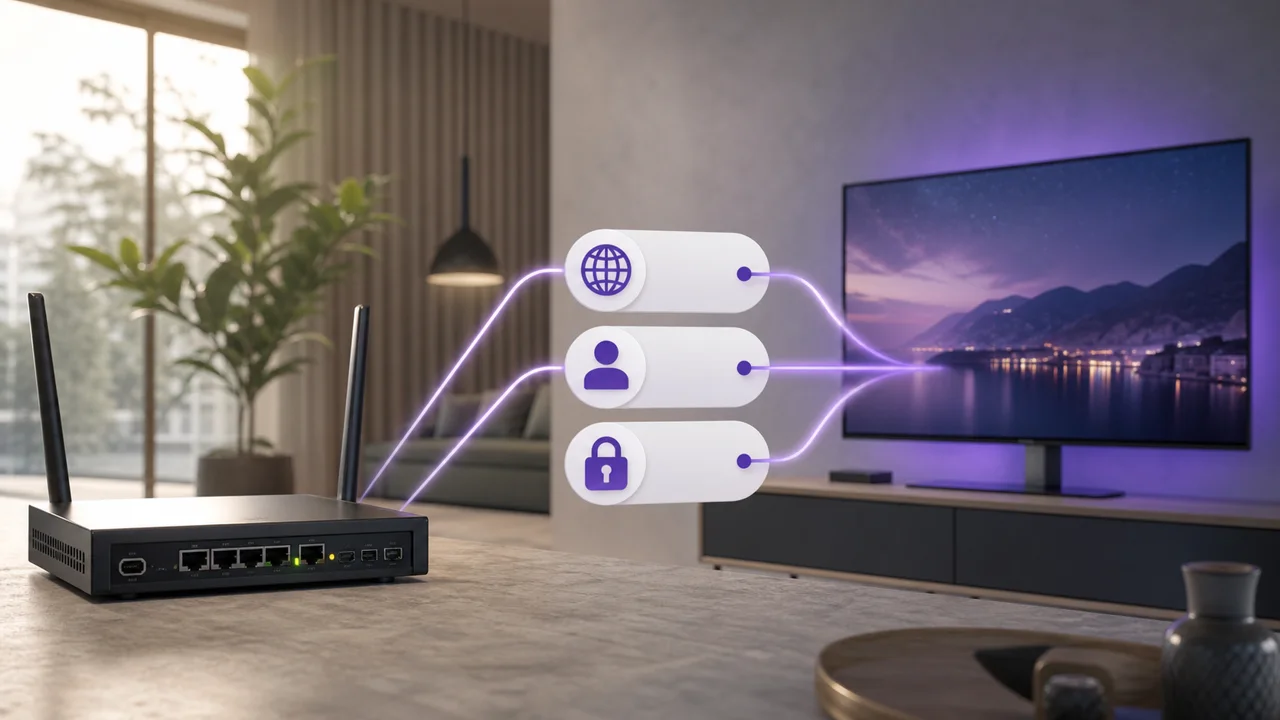
Diagram: the IPTV Smarters player is empty on its own and receives all channels from a separate service via three login values.
That single fact also settles the question people ask next, which is how to add channels. You don't, and there's a section further down that says so in more detail.
It explains, with no dark theory required, why so many lookalike apps exist. The developer, WHMCS Smarters, licenses white label versions of the player to providers. That's the business model working exactly as designed. A provider takes the player, puts its own name and colours on it, and hands it to its customers. Multiply that by a few years and a popular product, and you get a crowded field of similarly named builds, some of them careful about it and some of them not. The free original is still sitting there, still free.
This is also why the naming feels slippery. The store listing calls the app IPTV Smarters. Owners in the thread report that the logo on the genuine one reads IPTV Smarters Player. Most people, and most searches, say IPTV Smarters Pro. Those all point at the same free player, which is why the developer line on the listing is a far more reliable identifier than the name.
In short. IPTV Smarters is a player, not a service. Samsung's listing states that the app does not supply or include any media or content and that users must have their own content, so it ships with no channels at all. Lookalike builds exist because the developer, WHMCS Smarters, licenses white label versions to providers, which is why so many similarly named apps circulate.
🔍 How do you check you have the real IPTV Smarters Pro on Samsung TV?
Three checks settle it, and none of them needs you to trust anyone's opinion. Open Samsung's own app store listing on your phone and compare it against what's running on your TV.
| ✅ Check | What the official listing shows |
|---|---|
| Developer / seller | whmcssmarters |
| Price | Free |
| Xtream Codes login | Listed as a supported feature, so the login exists |
Xtream Codes API support being a named feature on the listing is the part people skip past. It means the genuine app has somewhere to put your details, by definition. An app with no such screen has failed the check before you've looked at anything else.
Diagram: three checks that confirm the real IPTV Smarters Pro on Samsung TV against a rebranded build.
Owners in the r/TheFrame thread arrived at the same shortcuts. One advised downloading the build developed by WHMCS, adding that the logo reads "IPTV Smarters Player". Another put the warning more bluntly, saying there are many fakes and clones about, that the developer to look for is WHMCS, and that the original is free and lets you log in directly from inside the app rather than sending you off to a website or asking for money. A third summed up the trap in a single line: there are lots of Smarters imitators trying to get you to give them money.
A lot of people search for whether IPTV Smarters is safe to install. That question is hard to answer in the abstract and easy to answer concretely, so answer the concrete version. Does the developer line say whmcssmarters? Does the price line say free? Is the Xtream Codes login sitting right there in the app, with no payment page in the way? Those three answers are things you can see with your own eyes in under a minute. If you want a second reference point, the official app site is the developer's own shop window. Anything that fails the three checks is a rebrand, whatever its icon looks like.
In short. To verify the real IPTV Smarters Pro on a Samsung TV, check three things on Samsung's own app store listing: the developer is whmcssmarters, the price is free, and Xtream Codes API support is listed as a feature. Users in the r/TheFrame thread add that the genuine app lets you log in inside the app instead of sending you to a website or asking for payment. Any build failing those checks is a rebrand.
🛠️ How do you install the real IPTV Smarters Pro on a Samsung TV, step by step?
The whole fix takes about five minutes and costs nothing.
Diagram: decision flow from a trial countdown to either a working Xtream Codes login or the external device route.
- Stop, and don't pay the countdown. Samsung's listing prices the player at free. Money being demanded for the player is the clearest sign you aren't in the free player.
- Open the Samsung listing on your phone. Read two lines only: the developer line and the price line. Keep the page open, you'll need it in a moment.
⚠️ Careful at the next step. One owner in the thread suggested the trial banner belongs to the app itself, and that a reinstall or an app data clear can bring the missing login back. Samsung's listing shows no trial at all for the official build, so the two accounts don't agree. Try the reinstall anyway, then read the next section for why a countdown that survives it tells you something different.
- Remove the app that's showing the countdown. Uninstall it from your TV, and don't just back out of the screen.
- Reinstall from the Samsung store, but check before you tap install. Match the developer name whmcssmarters and the free price against the listing you just opened. Do this first. It's the whole point of the exercise.
- Open it and look for the Xtream Codes login. A screen asking you for a server address and a set of credentials means you're in the right place.
- Have your three values to hand. Server URL, username and password, issued by your service. The Xtream Codes section covers where those come from and what each one is.
- If a countdown still appears after a clean reinstall, the build reaching your set isn't the free one. That's not a fault you can fix from the sofa, and the external device route is the practical answer.
In short. If IPTV Smarters shows a trial countdown on a Samsung TV, remove the app, then reinstall it from the Samsung store after confirming on the listing that the developer is whmcssmarters and the price is free. Open it and look for the Xtream Codes login, where you enter the server URL, username and password from your service. If the countdown returns after a clean reinstall, the build on your set is not the free player.
♻️ Does reinstalling or clearing app data fix it?
Try it. It costs nothing and it sometimes helps. But if the countdown comes back on a clean install, stop trying to fix the app, because the app itself is the problem.
Two explanations are in play, and they point in different directions.
| 🗣️ What a thread user says | 🧾 What Samsung's listing shows |
|---|---|
| The trial banner belongs to the app. Reinstall it or clear its data when the Xtream Codes login doesn't appear. | The official build is free, with no trial period and no subscription terms anywhere on the page. |
| Apps do get into odd states, and a reinstall is free to try. | If the free player has no trial, a trial countdown can't be a glitch in the free player. |
Do both, in order. Reinstall first, because it costs you nothing. If the countdown comes back on a clean install, take the listing as the stronger evidence and accept that the app on your set isn't the free one.
Two related worries, while you're here. The listing is live and was last updated on 25 October 2023, and nothing in it suggests the app has been withdrawn. And if you simply can't find it on your television at all, that's a different problem with a different cause, which is the Tizen availability question further down.
In short. There are two competing explanations. One user in the r/TheFrame thread says the trial banner belongs to the app and suggests reinstalling or clearing app data when the Xtream Codes login does not appear. Samsung's listing shows no trial period at all for the official free build, so a countdown that survives a clean reinstall points to a clone rather than a glitch.
🔑 What are the three Xtream Codes fields, and where do they come from?
An Xtream Codes login is three values and nothing else. A server URL, a username, and a password. The app doesn't generate them and doesn't sell them. They come from whichever service you subscribe to, and a genuine player asks you for all three the first time you open it. Our own IPTV service is one example of the kind of provider that issues those three values to its subscribers.
Diagram: the three Xtream Codes values, server URL, username and password, are issued by the service and entered into the player.
That last point is the one to remember. If you open a player and there's nowhere to type a server address, a username and a password, then whatever's on your screen isn't asking for a subscription you already have. It's asking for something else. Samsung's own listing names Xtream Codes API support as a feature of the free app, so the login exists in the real thing by definition.
A quick note on spelling, because it trips a lot of people up. Plenty of owners type it as "extreme codes", and the original Frame owner who kicked off the r/TheFrame thread wrote exactly that when they said there was nowhere to log in with "extreme codes". It's Xtream Codes, with an X and one E. Same login, same three fields, no difference at all beyond the spelling.
There's a second way to load content into a player, which is a plain M3U playlist URL instead of the three field login. It works, but it carries less structure.
Get the three values in front of you before you start. Copy them exactly, capitals and all.
In short. An Xtream Codes login is three values: a server URL, a username and a password. They're supplied by the service you subscribe to, not by the app, and a genuine player asks for all three on first launch. Many people type it as "extreme codes", but the correct term is Xtream Codes and it refers to the same login.
📺 Why is IPTV Smarters so hard to find on Samsung and Tizen TVs?
Samsung runs its own platform, Tizen, and its store is far more restricted than what you get on Android TV. No complaint about Samsung intended. It's just how the platform is built. The practical result for you is that a lot of IPTV players simply aren't published for Tizen at all, and the handful that are get imitated constantly.
Independent reporting on the subject notes the same thing: most Samsung and LG sets don't run the mainstream Smarters build, and owners who ask about it usually get pointed either at a Tizen alternative or at an external Android device.
That restriction is the root of the clone problem. You have a very popular TV platform, a large number of people who want a player on it, and very little genuine supply. Anything that fills that gap gets attention, including builds that only look right. Scarcity doesn't create fakes, but it does guarantee them an audience.
So if you can't find the official player on your set, it may simply not be published for it. One owner in the r/TheFrame thread reported that their provider moved them off Smarters and on to IBO Player instead, and that it worked. That's one person's outcome, and we're not recommending it, but it shows the usual route out: a different player that is actually published for your platform.
If you'd rather stay on the TV itself with no extra hardware, that path is covered in our guide to IPTV on a Samsung TV without a box, and the wider comparison of which IPTV app to choose covers what's realistically available. Our device compatibility reference lists what runs where.
In short. Samsung's Tizen store carries far fewer IPTV players than Android TV, and independent reporting notes that most Samsung and LG sets do not run the mainstream Smarters build. Scarce supply on a popular platform is why lookalike apps thrive there. Owners who cannot find the official player usually either switch to a Tizen alternative or add an external Android device.
🔌 Should you use a Firestick or another streaming device instead?
Plugging an Android based streaming box or stick into an HDMI port sidesteps the Tizen store completely. A Firestick, an NVIDIA Shield or a Xiaomi box all run the full Android player ecosystem. That ecosystem is where TiviMate, Smarters and IBO actually live. One owner in the r/TheFrame thread said they use an NVIDIA Shield with their Frame rather than keep fighting Samsung's store.
That's the upside. Here's the other half.
| ⚖️ What you gain | 💸 What it costs you |
|---|---|
| Players that never reach Tizen | Hardware you have to buy |
| A choice of player instead of one option | A second remote to keep track of |
| Installs that don't depend on Samsung's store | One HDMI input permanently used |
| A setup that survives changing TV brand | A box hanging off a TV you chose for how tidy it looks |
That last row matters more on a Frame than on an ordinary television. People buy a Frame partly because it disappears into a wall. Hanging a stick and a power cable off it is a genuine compromise, not a footnote.
The answer depends entirely on what you want. If you specifically want a player that Tizen doesn't carry, an external device is the only sensible way to get it, and the Smarters Pro versus TiviMate comparison plus our complete TiviMate guide will tell you whether that's worth the trade. If a Tizen option already works for you, adding hardware buys you nothing. The general installation routes guide covers all three approaches side by side if you want to compare before spending anything.
In short. An external Android based streaming device such as a Fire TV Stick, NVIDIA Shield or Xiaomi box bypasses Samsung's Tizen store and gives access to the wider IPTV player ecosystem. The trade-offs are real: extra cost, a second remote and an occupied HDMI input, which matters more on a Frame TV chosen for its tidy look. It earns its place if you need a specific player, and it's unnecessary if a Tizen option already works.
⚠️ What causes "authorization failed for above host" in IPTV Smarters?
That phrase gets searched a lot, and it points at one of two very different problems. Work out which one you have before you change anything, because the fixes have nothing in common.
| 🔎 What you see | 🧭 What it tells you |
|---|---|
The login is refused, reported as authorization failed for above host |
The three values or the account behind them are the place to look |
| You get in, then nothing plays | The credentials were accepted, so the trouble sits after the login |
Symptom: it rejects your login. People also search this as "failed to authorize", and it's the same situation. The app sends three things and only three things: the server URL, the username and the password. A refusal therefore points at a limited set of causes. Either one of those three doesn't match what the service expects, or the account behind them isn't currently active.
Remote control keyboards make this worse than it sounds. A long server address typed on a directional pad is an easy thing to get wrong by one character, and capital letters are just as easy to lose. Retype all three from scratch instead of editing what's already there, and copy them exactly as the service issued them. If it still fails, the values or the account behind them are what needs checking with whoever supplied them. For a fuller breakdown of the causes and the order to test them in, see our guide to Xtream authentication errors.
Symptom: it logs in, then nothing plays. This is a separate problem and it shouldn't be treated as a login one. One owner in the r/TheFrame thread reported an intermittent failure where everything loaded except the stream itself, with the message playback error, reconnects in 3s 1/5.
They reported it happening across live TV, films and series alike, so it wasn't confined to one section of the app. The structural point is this: everything loading except the picture means the credentials were accepted, so whatever's going wrong sits somewhere after the login. A playlist that won't load behaves in a similar way and is worth reading alongside this.
In short. An authorisation failure in IPTV Smarters means the login was rejected, and the login is only three values, so the server URL, username or password does not match what the service expects, or the account is not active. A different symptom is logging in successfully but getting no picture: one user in the r/TheFrame thread reported everything loading except the stream, with a playback error that retried every three seconds.
📅 How do you add EPG, an M3U playlist and a second subscription once you're in?
Once the login works, a few questions come up almost immediately. The answers are all simpler than people expect, mostly because the app does less than people assume.
How do you add EPG to IPTV Smarters Pro?
Samsung's listing names EPG support as a feature, and the guide data itself arrives with your subscription. That matters when the guide looks thin, or when programme names are missing on some channels and present on others. The player only displays what it's handed. Patchy guide data is a property of the service you logged in with, and no setting inside the player will fill in information the service never sent.
How do you add an M3U playlist to IPTV Smarters?
The alternative to an Xtream Codes login is a plain playlist URL. Both routes get channels onto the screen, but they aren't equivalent. An Xtream Codes login carries category structure, guide data and separate handling for films and series, where a bare playlist link is closer to a flat list. If you've been given both and aren't sure which to use, our comparison of M3U and Xtream Codes lays out the difference, there's a separate walkthrough on managing an M3U playlist if that's the route you're on, and a playlist that won't load covers what to do when the URL is accepted but nothing appears.
How do you add channels to IPTV Smarters Pro?
There's no "add channels" action, and looking for one wastes a lot of people a lot of time. Channels aren't a thing you install. They arrive with the subscription you logged in with, so the line-up you see is the line-up that account contains. If a channel you expect is missing, that's a question for whoever issued your three login values.
How do you remove a user from IPTV Smarters Pro?
Samsung's listing names multi-user support for multiple subscriptions, which is as much as the listing tells us: more than one set of Xtream Codes values can live in the app at once, so adding a second subscription doesn't have to mean losing the first. Removing one is a matter of removing that set of values. One thing to be clear about: removing a user has nothing to do with a trial countdown screen. The two are unrelated, and no amount of tidying up profiles will clear a countdown. Favourites aren't among the features Samsung's listing names either, so treat any guide promising exact favourites steps with the same caution as everything else in this topic.
In short. IPTV Smarters lists EPG support and multi-user profiles as features, so guide data and multiple subscriptions are handled inside the app, but the content itself always comes from the service. There is no way to add channels manually, because channels arrive with the subscription you log in with. The alternative to an Xtream Codes login is an M3U playlist URL, which carries less category and guide structure.
🧠 Why are IPTV app threads full of people selling you something?
One last thing, and then we're done. When a confused owner posts about an IPTV app, the replies fill up with people selling something. Some of it is helpful. A lot of it isn't neutral, and it's rarely labelled as advertising. That's worth knowing before you take a recommendation from a forum thread at face value, including the thread this article draws on.
One user in that thread described paying around five dollars for a "lifetime" deal on a Smarters branded site, only for it to stop working later. That's their account of it.
The habit that survives all of this is simple. Before you install anything, open the platform's own store listing and read two lines: who the developer is, and what the price is. Ten seconds, on your phone, while the TV waits. And keep the money question separate from the player question, because they're genuinely separate questions and mixing them up is what the clones rely on.
⚠️ The player is free. Only a service should ever cost you anything. Keep those two questions apart.
In short. Discussion threads about IPTV apps attract sellers in the replies, so advice there is rarely neutral. The durable check is to open the platform's own store listing and confirm the developer name and the price before installing. The player itself is free, so any payment request inside the player is a signal that you're in a rebranded build.
Frequently asked questions
Is IPTV Smarters Pro free on Samsung TV?
Yes. Samsung's own app store listing shows IPTV Smarters as free, published by whmcssmarters, with no trial period and no subscription terms mentioned anywhere. If an app on your Samsung TV is asking you to pay for the player itself, it is not the build on that listing.
How much does IPTV Smarters Pro cost?
Nothing. Samsung's app store listing prices the app at free and shows no trial period and no subscription terms at all. The only thing that should ever cost you money is the service you plug into it, which is billed by that service and has nothing to do with the player.
Why does IPTV Smarters say my trial ends in 6 days?
Because the app currently on your screen is charging for itself. The official build listed on Samsung's app store is free and shows no trial period. A countdown belongs to that particular app. Samsung didn't put it there and neither did the free player.
What is IPTV Smarters Pro?
It's a player app from developer whmcssmarters that displays content supplied by a service you subscribe to separately. Samsung's listing states plainly that the app does not supply or include any media or content, and that users must have their own content. It ships with zero channels.
Is IPTV Smarters Player the same as IPTV Smarters Pro?
Yes, they're the same free player. Samsung's store listing calls it IPTV Smarters, owners in the r/TheFrame thread report that the logo reads IPTV Smarters Player, and most people search for IPTV Smarters Pro. Because the name varies, the developer line on the listing is the reliable identifier.
Is IPTV Smarters safe to install?
The official listing is public and checkable, which is the safest thing you can say about any app. The developer should read whmcssmarters, the price should be free, and the Xtream Codes login should be inside the app itself. A build that asks you to pay, or sends you to a website to sign in, fails those checks.
Has IPTV Smarters been shut down?
Nothing in Samsung's listing indicates that. The listing is live, shows the app as available, and was last updated on 25 October 2023.
Does IPTV Smarters Pro still work?
It's a player, so it works whenever it's given a valid server URL, username and password by a service. There's nothing in the app to expire on its own, which means anything that stops working points at the credentials or the service behind them.
Why can't I find IPTV Smarters Pro on my Samsung TV?
Samsung's Tizen store carries far fewer IPTV players than Android TV does, and independent reporting notes that most Samsung and LG sets don't run the mainstream Smarters build. Scarce availability on a platform with heavy demand is exactly why so many lookalike apps circulate there.
How do I activate IPTV Smarters Pro?
There's no activation key and nothing to unlock. You enter the three Xtream Codes values issued by your service, which are a server URL, a username and a password, and the app then loads whatever that account contains. Anything asking for an activation payment is a different product.
What is an "extreme codes" login?
It's Xtream Codes, spelled with an X and no second E. The misspelling is a very common one and refers to the same thing: an API login made up of three fields, a server URL, a username and a password, all issued by your service rather than by the app.
Can I use IPTV Smarters Pro on a Firestick instead?
Yes. An external Android based device bypasses Samsung's Tizen store entirely and opens up the wider player ecosystem. The trade-offs are real though: extra hardware to buy, a second remote to live with, and an HDMI input permanently occupied, which matters more on a Frame TV than on most sets. --- Everything above comes from Samsung's own app store listing for the app, the official app site, the developer's page, and clearly attributed reports from Frame owners in the r/TheFrame thread. We didn't install or test the app ourselves, and nothing here is presented as our own result. The diagrams are original illustrations of the concepts described, not pictures of the app. You can read how we source and check this material in our methodology note.