Connections
Internet speed for 4K IPTV: how many Mbps per quality?
Internet speed for 4K IPTV: budget about 15 Mbps per 4K stream, 5 Mbps in Full HD and 3 Mbps in HD, and remember speeds add up across screens.
4K IPTV requires significantly more bandwidth than HD, but “having fiber” or a subscription displaying a large number in Mbps is not always enough to guarantee stable playback. What matters is the speed actually available on the device at the time of playback, not the theoretical maximum speed of your subscription.
How many Mbps do you need per quality level?
Budget roughly 15 Mbps for a 4K stream, 5 Mbps for Full HD and 3 Mbps for HD, per stream. There is no single technical standard specific to IPTV, but the speeds officially recommended by Netflix for streaming video give a realistic order of magnitude, transposable since in both cases it concerns video broadcast live via the internet:
| Quality | Benchmark speed (per stream) | Note |
|---|---|---|
| SD (standard definition) | less than 3 Mbps | Netflix does not publish a precise figure for this level; it sits under the HD threshold shown below |
| HD (720p) | ≈ 3 Mbps | official Netflix recommendation |
| Full HD (1080p) | ≈ 5 Mbps | official Netflix recommendation |
| Ultra HD (4K) | ≈ 15 Mbps | official Netflix recommendation |
These numbers are benchmarks of steady speed during playback, not just a peak speed measured at a given moment during a speed test.
Why is your subscription's theoretical speed not enough?
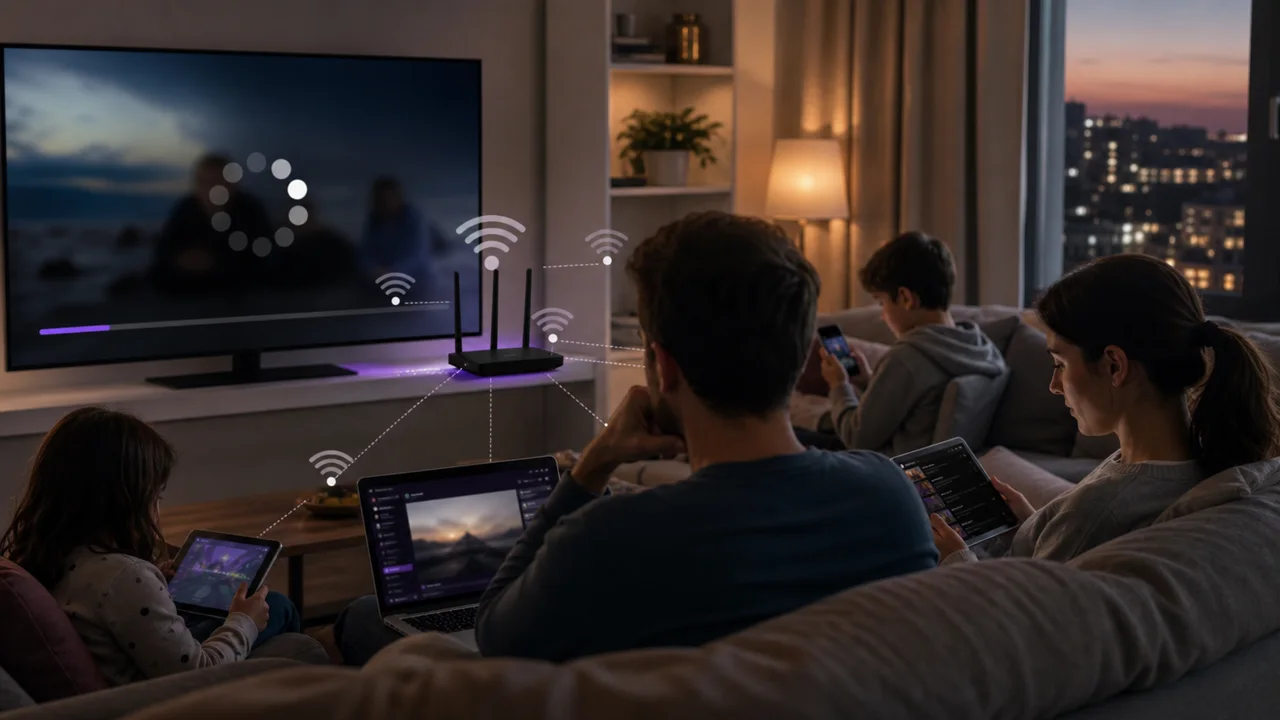
An internet subscription advertised at 100 Mbps or more does not guarantee 100 Mbps continuously available on the device playing the IPTV. Several factors reduce the speed actually usable at playback time:
- Wi-Fi, particularly on the 2.4 GHz band which is more sensitive to congestion, or a device too far from the router.
- Peak hours, at your home or at your service provider, which can reduce the available speed without changing your subscription. Our article on IPTV slow in the evening details this phenomenon.
- The household's other active usage at the same time (downloads, backups, other screens).
To check your actual speed, the global Cloudflare Speed Test measures download and upload speed, latency and jitter directly from the device concerned.
Do speeds add up across screens?
Yes. The benchmarks above apply to a single stream, so simultaneous streams stack. If several televisions or devices in the home are watching IPTV at the same time, the necessary speeds add up: two simultaneous 4K streams require approximately twice the indicated benchmark, not the same total. Our multi-screen guide details how to distribute quality between several televisions without saturating the connection.
Does live or VOD need a different speed margin?
The order of magnitude is the same, but live has less tolerance than VOD. On-demand content (VOD) generally preloads a few seconds ahead: a brief drop in speed may therefore go unnoticed until the connection stabilizes. A live channel has less margin, since the stream is received and displayed almost in real time: a drop in bandwidth translates more quickly into buffering. Our VOD vs live comparison details this difference more broadly.
Does video compression change the bitrate you need?
Yes. The exact bitrate needed also depends on how the stream is encoded on the server side. A stream compressed with the codec HEVC/H.265, more recent and more efficient than the old H.264, generally requires less bitrate for comparable image quality. Two IPTV providers broadcasting the same channel in 4K may therefore have slightly different real needs depending on the encoding used. The benchmarks in this guide remain orders of magnitude, not a universal guarantee.
Troubleshooting
- The measured speed is more than sufficient but 4K remains unstable: the issue probably comes from Wi-Fi, another active use in the household or the server. See our buffering troubleshooting guide.
- 4K does not display even though the available speed is sufficient: the cause is probably hardware rather than bandwidth. See the equipment required for 4K IPTV.
- Speed drops only in the evening: read our dedicated guide to slow IPTV in the evening.
- Several screens are streaming at once: divide quality sensibly between devices and review our multi-screen guide.
In summary
For stable 4K IPTV, aim for a benchmark of around 15 Mbps available continuously on the device concerned, compared to around 5 Mbps in Full HD and 3 Mbps in HD. These are orders of magnitude published by Netflix and transposable to IPTV. This speed must actually be available at playback time, not just on paper in your subscription, and adds up if several screens are watching at the same time. Speed is only part of the equation, however: without the right hardware, 4K will not display even when the bandwidth is there, as detailed in our article on equipment for 4K IPTV.
Frequently asked questions
Is 15 Mbps really enough for 4K IPTV?
This is the benchmark recommended by Netflix for Ultra HD video streaming, transposable to IPTV since in both cases it is video broadcast live via the internet. However, allow for a margin: this figure assumes a single active 4K stream, with no other significant usage on the same network at the same time.
Why does my 100 Mbps connection still lag in 4K?
A high theoretical speed advertised by your subscription does not guarantee a stable speed at the precise moment of playback. Wi-Fi, peak-hour congestion or other active devices in the household can reduce the actual available speed, even if the contracted speed is more than sufficient on paper.
Is the required speed the same for live and VOD in 4K?
The order of magnitude is comparable, but the tolerance differs: on-demand content can preload a few seconds ahead and absorb a one-off drop without you noticing, whereas a live channel has less headroom and stalls more quickly in the event of a drop in speed.
Does the necessary bandwidth depend on the compression used by the IPTV provider?
Yes. A stream encoded in HEVC/H.265 generally requires less bitrate than a stream encoded in H.264 for comparable image quality — the HEVC standard is specifically designed for better compression at equal quality. The benchmarks in this guide remain orders of magnitude, not a value guaranteed by all providers.
How do I know if my speed is really the limiting factor?
Test the speed near the device at the time of the problem, compare it to the benchmarks in this guide, then temporarily pause the household's other usage before restarting playback. If 4K remains unstable despite a measured speed significantly higher than the benchmarks, the cause probably lies elsewhere — see our buffering troubleshooting guide.