Comparisons
Ethernet or Wi-Fi for IPTV: which one to choose for stability?
Ethernet or Wi-Fi for IPTV? Compare stability, real speed and setup in a clear table, and see why a wired link wins for 4K and multi-screen homes.
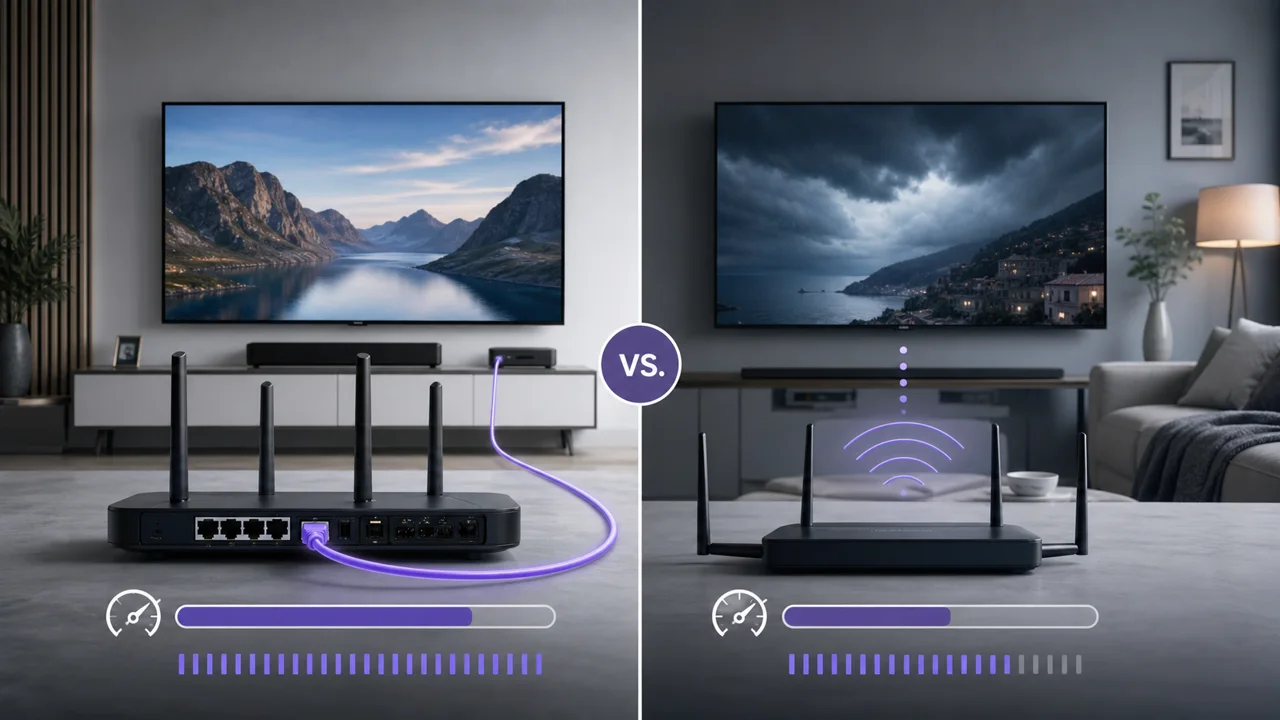
The choice between Ethernet and Wi-Fi comes up often in IPTV troubleshooting guides, without always explaining why one is recommended over the other. This comparison details the real differences between the two, so you can choose according to your home rather than on principle.
Ethernet vs Wi-Fi for IPTV: how do they compare?
| Criterion | Ethernet | Wi-Fi |
|---|---|---|
| Speed stability | Constant, little variation | Variable depending on distance and obstacles |
| Sensitivity to interference | None (wired connection) | Sensitive, especially at 2.4 GHz |
| Actual vs theoretical speed | Close to theoretical speed | Often lower than the advertised speed |
| Simplicity of installation | Requires cable to device | No cables, immediate installation |
| Device mobility | Fixed, limited by cable length | Free in the coverage area |
| Sensitivity to household peak hours | Low (dedicated connection) | More sensitive if multiple devices share the band |
Why is Ethernet more stable than Wi-Fi?
An Ethernet connection links the device to the router through a dedicated cable, so the speed depends neither on distance, nor on walls, nor on interference from neighboring Wi-Fi networks. Wi-Fi, on the other hand, shares radio waves with many surrounding devices and networks. The 2.4 GHz band is particularly sensitive to this congestion, while the 5 GHz band, faster at short distances, carries less far and penetrates walls less well, a compromise documented by the ANFR.
For IPTV, where a live stream has little margin against a drop in speed, this stability makes a concrete difference: an Ethernet cable eliminates several variables at once, where Wi-Fi needs finer tuning to approach the same reliability. See our guide to optimize Wi-Fi if cabling is not possible.
When is Wi-Fi good enough for IPTV?
Wi-Fi should not be systematically avoided. It remains a reasonable choice when:
- The device is close to the router, with few obstacles in between.
- The necessary bandwidth remains moderate (HD rather than 4K on several simultaneous screens).
- Pulling an Ethernet cable is physically impossible or disproportionate for the purpose.
When should you choose Ethernet?
Switching to Ethernet becomes particularly useful if:
- The device stalls regularly despite sufficient internet speed measured elsewhere.
- You are aiming for IPTV in 4K, which requires a higher stable speed.
- The device is far from the router or separated by several walls.
- Several screens in the home share Wi-Fi at the same time during peak usage times.
Is powerline (PLC) a good middle option?
If running an Ethernet cable to the device is not feasible, a power line adapter (PLC) transmits data over the home's existing electrical network. Its performance varies greatly depending on the electrical installation and the distance between the sockets used: it generally sits between Wi-Fi and a direct Ethernet cable, without matching the latter.
Troubleshooting
- Ethernet does not change the problem: the overall internet speed or the IPTV server are probably the cause, not the local connection. See our buffering troubleshooting guide.
- No Ethernet port available on the device: check if a USB-Ethernet adapter from the manufacturer exists, or optimize the Wi-Fi in the meantime.
- The Ethernet cable is too long to be practical: a Powerline adapter is a reasonable compromise before giving up on wired.
In summary
Ethernet provides superior stability to Wi-Fi for IPTV, especially at 4K or with multiple displays active at the same time, because it eliminates interference and speed variations related to distance. Wi-Fi nevertheless remains a reasonable choice for lighter use or when cabling is not an option. Wire up first the main screen that freezes most often, and keep the Wi-Fi for the rest of the household.
Frequently asked questions
Is Ethernet really more stable than Wi-Fi for IPTV?
Yes, in general. An Ethernet cable provides a dedicated connection to the device, without sharing radio waves with other networks or being susceptible to obstacles or interference. The speed remains more constant over time than in Wi-Fi, where it varies depending on distance, walls and local congestion.
Does Wi-Fi 6 or 6E make Ethernet useless for IPTV?
No. Wi-Fi 6 mainly improves the management of many devices connected at the same time, not the fundamental stability of a radio link in the face of obstacles and interference. Ethernet remains the benchmark for stability, even in the face of the latest generations of Wi-Fi.
Can I use a Powerline adapter if I can't run an Ethernet cable?
A power line adapter (PLC) transmits data via the home's electrical network and can be a compromise between Ethernet and Wi-Fi. Its performance varies greatly depending on the electrical installation and is not guaranteed like a direct Ethernet cable.
Do all IPTV boxes have an Ethernet port?
Most newer IPTV boxes and TVs have them, but some compact streaming sticks don't have a native Ethernet port and require a separate USB-to-Ethernet adapter if the manufacturer offers one.
Do you have to choose one or the other for the whole household?
No. It is common to wire Ethernet for fixed devices close to a network outlet (main television, box) and to keep Wi-Fi for mobile devices or devices that are harder to wire, such as a tablet or an occasional second screen.